
Key Takeaways & Quick Summary (2026 Edition)
- Xtream Codes API (Server URL + Username + Password) is 3x faster than raw M3U URLs for loading 25,000+ live channels and 60,000+ VOD titles.
- Always use the M3U_Plus with HLS (mpegts/m3u8) output format so channel groups (USA Local, NFL Sunday Ticket, 4K Movies) sort automatically.
- 99% of "Playlist Failed to Load" errors are caused by auto-capitalization of "Http://" on TV remotes or trailing whitespace after a period.
- Pair your playlist with the XMLTV EPG URL and set EPG Update Interval to 24 hours for accurate American Eastern/Pacific TV schedules.
Xtream Codes API vs. M3U Playlist URL: Which Should You Choose?
Before typing credentials into your television remote, it is crucial to understand the architectural difference between an M3U playlist link and the Xtream Codes API protocol.
An M3U URL is a single static text file containing tens of thousands of channel names, group tags, and stream URLs. Every time you open your IPTV player, the device must download and parse a 45MB+ text file into system RAM. On budget streaming sticks with 1GB or 2GB of RAM, parsing a massive M3U file can cause startup lag.
By contrast, the Xtream Codes API connects your player directly to our US high-speed JSON database. Live TV channels, 60,000+ VOD movies, TV series episodes, and EPG schedules are fetched dynamically on demand—resulting in instant app startup and zero memory bottlenecks.
Always choose "Xtream Codes API" on Firestick, Android TV, Samsung/LG Smart TV, and Apple TV. Reserve the raw M3U URL only for desktop players like VLC Media Player or legacy apps that do not support Xtream login.
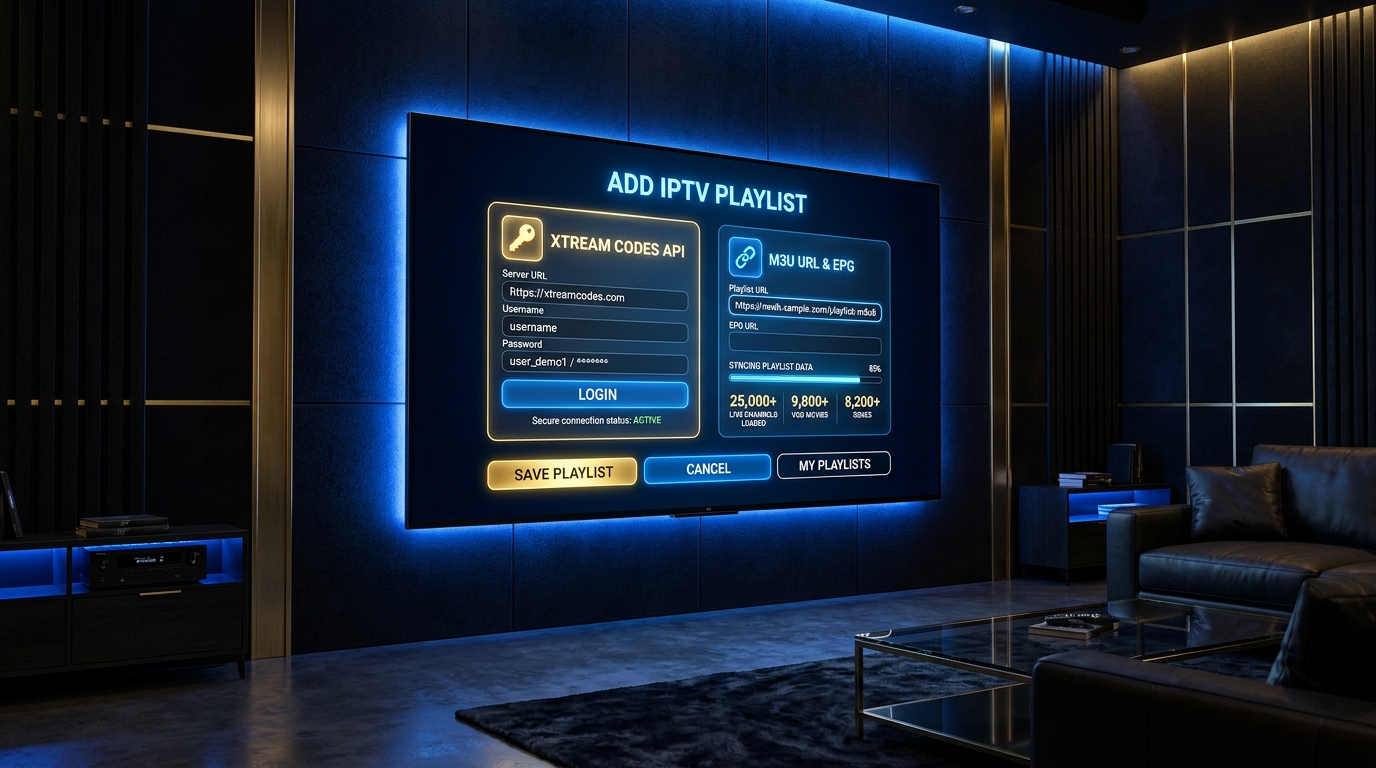
Method 1: How to Add an IPTV Playlist via Xtream Codes API (Recommended)
This method works identically across the most popular American IPTV players, including TiviMate, IPTV Smarters Pro, XCIPTV Player, ImPlayer, and GSE Smart IPTV.
Step-by-Step Xtream Codes Configuration
Have your activation message open on your smartphone so you can verify each character as you type:
- Step 1: Open your installed IPTV player and select "Add Playlist", "Add User", or "Login with Xtream Codes API".
- Step 2: In the "Playlist Name" or "Any Name" field, enter "BestIPTV USA 8K".
- Step 3: In the "Server Address" or "Portal URL" field, enter the exact http:// URL from your welcome message. Ensure the "h" in http:// is lowercase and there are no spaces after the dots.
- Step 4: Enter your case-sensitive Username and Password exactly as provided.
- Step 5: Enable "Include VOD" and "Update EPG on Playlist Change", then click "Next" or "Add User". Within 10 to 15 seconds, all 25,000+ live channels and 60,000+ VOD titles will organize into clean country and sports categories.
Method 2: How to Load an M3U Plus Playlist URL & XMLTV EPG Link
If your media player requires a direct M3U link (such as VLC on Windows/Mac, Kodi PVR Simple Client, or Televizo), always select the "M3U With Options" (also labeled m3u_plus) link rather than a basic M3U link. Standard M3U links strip out category folders, dumping 25,000 channels into one unorganized list.
- Open your IPTV app and choose "Add Playlist via File or URL".
- Paste your complete M3U_Plus URL (which ends in type=m3u_plus&output=ts or output=m3u8).
- In the "EPG URL" or "XMLTV URL" field, paste the companion EPG link provided in your activation message.
- Tip for Smart TVs: Use the official Amazon Fire TV Remote mobile app or Apple TV keyboard on your phone to copy-paste the long M3U URL in 1 second instead of clicking letters one by one.
If your player asks you to choose between MPEG-TS (.ts) and HLS (.m3u8) stream output inside the M3U link, choose MPEG-TS for live sports (lower latency and faster channel zapping) and HLS for VOD movies.
Method 3: Uploading Playlists Remotely via MAC Address (IBO Player, SmartOne & Set-Top Boxes)
On Samsung Tizen and LG webOS Smart TVs, modern players like IBO Player Pro, SmartOne IPTV, Bob Player, and DuplexPlay eliminate on-screen typing altogether by using a cloud portal tied to your television’s Device ID and Device Key.
- Launch IBO Player or SmartOne on your Smart TV and note the "Device ID" (MAC Address) and "Device Key" displayed on screen.
- Open your smartphone or laptop browser and visit the official web portal of that app.
- Log in with your Device ID and Device Key, then click "Add XC Playlist" or "Add M3U Playlist".
- Copy and paste your Best IPTV Providers US credentials directly from your WhatsApp message, click "Save", and restart your TV app—your entire channel lineup appears immediately.
Troubleshooting Common IPTV Playlist Errors (Diagnostic Guide)
If your playlist displays an error message during setup, follow these verified engineering solutions to resolve it in under 60 seconds:
1. Fix for "ParserException" or "Failed to Load M3U Playlist"
This occurs when the on-screen keyboard inserts an automatic space after a period (e.g., "http://server. com") or capitalizes the first letter ("Http://"). Delete any trailing space at the very end of the URL and ensure http:// is strictly lowercase.
2. Fix for "401 Unauthorized" or "Invalid Details"
Verify that you did not swap the letter "l" (lowercase L), "I" (uppercase i), and the number "1", or the letter "O" and number "0" in your username and password.
3. Fix for "Playlist Loads 0 Channels" on US ISPs (AT&T, Xfinity, Spectrum)
Some US residential routers enable "AI Security Shield" (such as Xfinity xFi Advanced Security or AT&T ActiveArmor) that blocks unfamiliar port numbers. Disable router-level "Advanced Security" inside your ISP mobile app or switch your device DNS to Cloudflare (1.1.1.1) or Google DNS (8.8.8.8).
Technical Comparison: Xtream Codes API vs. M3U Plus vs. MAC Portal
Use this technical reference matrix to pick the optimal playlist connection method for your streaming hardware:
| Feature / Metric | Xtream Codes API (Recommended) | M3U_Plus URL + XMLTV | MAC / Cloud Portal (IBO/MAG) |
|---|---|---|---|
| Initial Sync Speed | Fastest (8–12 seconds) | Moderate (30–60 seconds) | Fast (10–15 seconds) |
| RAM Usage on Device | Ultra-Low (< 85 MB) | High (250 MB+ for full VOD) | Low (< 110 MB) |
| Automatic EPG TV Guide | Built-in automatic sync | Requires separate XMLTV URL | Synced via portal server |
| VOD Series Season/Episode Sorting | Native Netflix-style seasons | Flat list of files | Native structured seasons |
| Best Compatible Apps | TiviMate, Smarters Pro, XCIPTV | VLC, Kodi PVR, Televizo | IBO Player, SmartOne, MAG, Formuler |
Helpful Resources & Official Documentation
- Internal Setup Hub: USA IPTV Installation Guides • 4K & 8K Plans (-10% OFF) • Optimal 4K/8K Player Settings • IPTV Buffering Fix Guide
- VideoLAN Official M3U & Network Streaming Documentation — Official technical specification for M3U/M3U8 multimedia playlists and network protocols.
- Cloudflare 1.1.1.1 Public DNS Setup Guide — Configure fast, unthrottled DNS resolution on your Smart TV or router to speed up IPTV playlist loading.
Frequently Asked Questions (All Devices)
Which is better in 2026: M3U Playlist URL or Xtream Codes API?
Xtream Codes API is superior for 95% of users on Firestick, Android TV, Apple TV, and Smart TVs because it loads 25,000+ live channels, 60,000+ VOD movies, and the EPG TV guide dynamically without consuming device memory.
Can I install my IPTV playlist on multiple devices in my house?
Yes! You can add your M3U or Xtream Codes playlist to as many devices as you own (living room TV, bedroom Firestick, iPhone, laptop). A standard 1-connection plan lets you watch on one screen at a time, or you can request a multi-room connection plan on WhatsApp.
How often does my IPTV playlist update with new 2026 movies and PPV events?
Our US servers push new 4K movies, series episodes, and daily UFC/Boxing/NFL Pay-Per-View channel events automatically. When using Xtream Codes API, simply refresh your playlist or restart the app to see new content immediately.
Why is my EPG TV Guide showing "No Information" after adding the playlist?
Go to your player Settings -> EPG -> click "Update EPG" (or "Clear EPG" then "Update EPG"). If you live in the US Pacific, Mountain, or Central time zone, you can also adjust the "EPG Time Shift" (+1h / -1h) only if your player does not auto-detect your system clock.
What is the difference between M3U and M3U_Plus?
A standard M3U file only lists raw stream links without group metadata. An M3U_Plus file includes group-title tags, channel logos (tvg-logo), and EPG channel IDs (tvg-id), allowing your player to organize channels into USA Sports, Movies, Kids, and Local News folders.